 Outfello
A wardrobe app in your browser. Your online wardrobe, finally in order.
Turn photos of your clothes into a wardrobe you can browse. Find a piece, build an outfit and plan what to wear with what you already own.
Free plan to start - no card required.
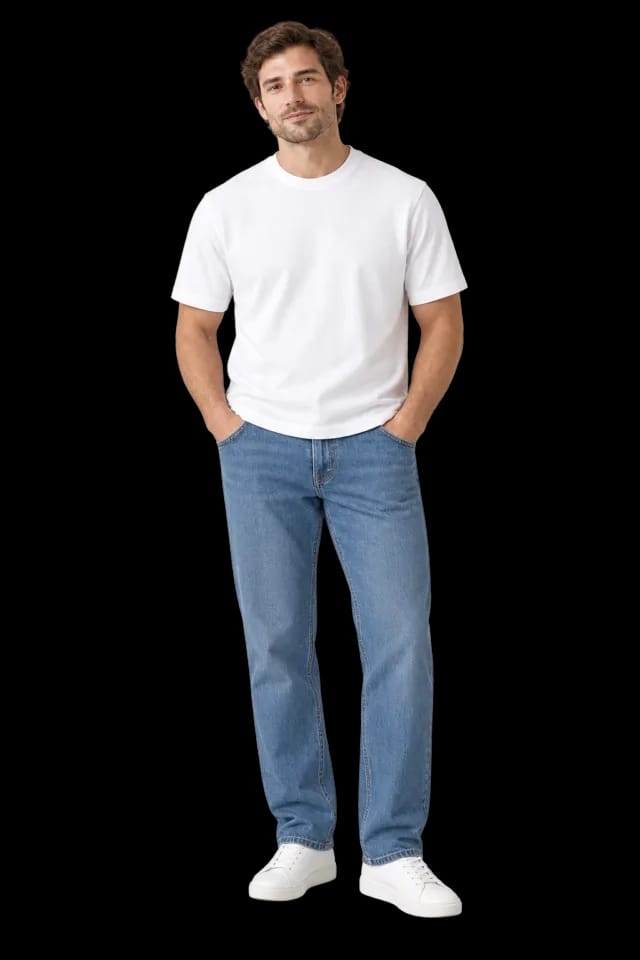
Outfello is a wardrobe app that extracts every garment from an outfit photo and files each one as a cut-out in a private online wardrobe. Pieces are sorted by category and colour, and any piece or full outfit can be rendered onto one full-body photo of you. It runs in the browser and syncs across devices.
- Tops
- Jackets
- Bottoms
- Shoes
- Accessories
- Outfits
- Clean cutouts
- Modeled previews
- Colour tags
How it works
From outfit photo to online wardrobe.
Add a photo and review the clothes Outfello finds. It handles the cropping and labels so you can start putting outfits together.
- 01
Drop the photo in
Drag, drop or paste an outfit shot, a screenshot, or a pile from your camera roll. Every garment in the frame gets detected - not just the obvious one.
- 02
Get clean cutouts
Each piece is lifted out on its own, background removed, then named, categorised and colour-tagged. Review, rename or regenerate anything before it lands.
- 03
See yourself in it
Add one full-body photo of yourself to generate try-on previews of your pieces and outfits. Use them to compare looks before getting dressed.
Keep reading
Three ways to go deeper.
Questions
The short answers.
- What is an online wardrobe?
- A catalogue of the clothes you own that lives in your account rather than on one phone. Outfello builds it from your outfit photos: every garment is cut out and tagged, ready to filter, combine into outfits and open on any device.
- What kind of photos work?
- Outfit shots, mirror selfies, screenshots, product pages - anything where the garment is visible. Drag, drop or paste them straight into the gallery.
- How do the modeled previews work?
- You add one full-body reference photo of yourself, facing the camera with head and feet in frame. Pieces are then rendered onto that reference whenever you ask for a wear-on shot.
- Where do my clothes live?
- In your account. Every piece, cutout and try-on photo is stored privately with it and syncs to wherever you sign in.
- Who can see my clothes?
- Only you. Your wardrobe is private to your account - pieces aren't shared or listed publicly.
- Is there an app to download?
- No. Outfello runs in your web browser on a phone, tablet or computer, so there is nothing to install. Sign in anywhere and the same wardrobe is there.
- How does photo import work?
- Outfello uses AI to identify the clothes in a photo, then prepares cutouts with names, categories and colours. You review each piece and can correct its details before adding it to your wardrobe.
- Is Outfello free?
- There is a free plan that needs no card. It stores a small wardrobe and includes a few imports and try-ons every month. Paid plans raise those limits and add the weather-aware daily planner and the outfit calendar.
From the guides
Reading for the wardrobe you already have.
- GuideHow to share your outfits and find new outfit ideasShare outfits built from your own clothes, browse looks from other members, and keep your profile private until you post. A walkthrough of the new Community.
- GuideHow to dress for the weather: what to wear at 0-30 °CWhat to wear for the weather at 0-30 °C (32-86 °F), band by band, with a two-minute check for today or tomorrow and what to change for rain or strong wind.
- GuideA closet declutter method that starts with one photoA closet declutter method that starts by photographing everything you own, then sorting by part and colour into keep, maybe and go, with a dated maybe box.
Get started
It starts with one photo.
Import the outfit you wore today and watch it come apart into pieces you can actually browse.