Inside

What your closet looks like once it is filed.

Outfello's wardrobe is a filterable gallery of garment cut-outs, a piece editor with the modeled photo beside the cut-out, and an outfit builder that stacks jacket, top, bottoms, shoes and accessories into one rendered look. Every piece keeps its name, category, colours and detail tags, and any of them can be corrected at any time.

The same two screens you will spend your time in: the grid of everything you own, and a single piece opened up.

The gallery
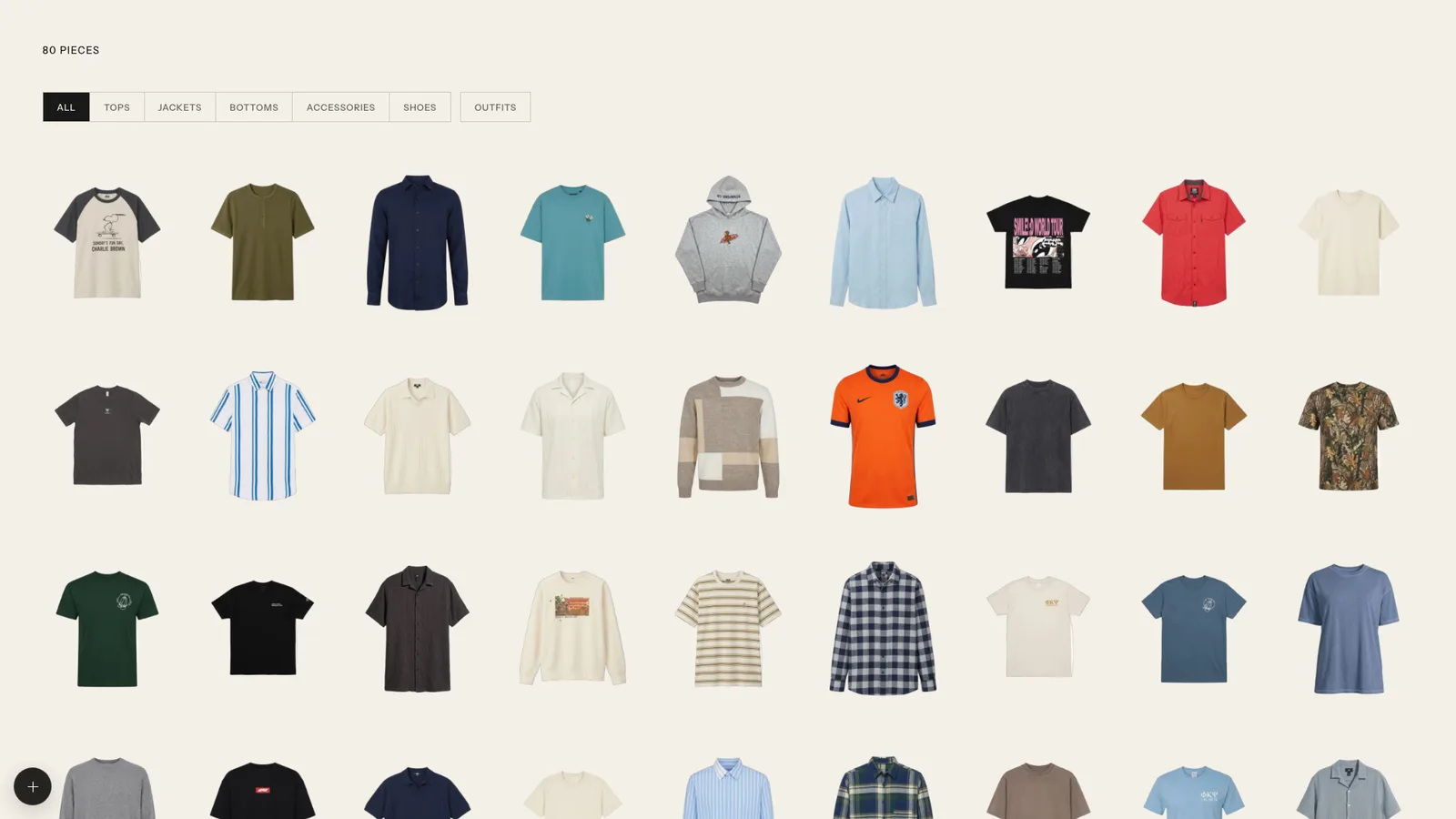
The Outfello gallery: a grid of cut-out garments filtered by category.
Every piece on the same neutral ground, filtered by part. Outfits sit in the grid next to the pieces they are built from.
The piece
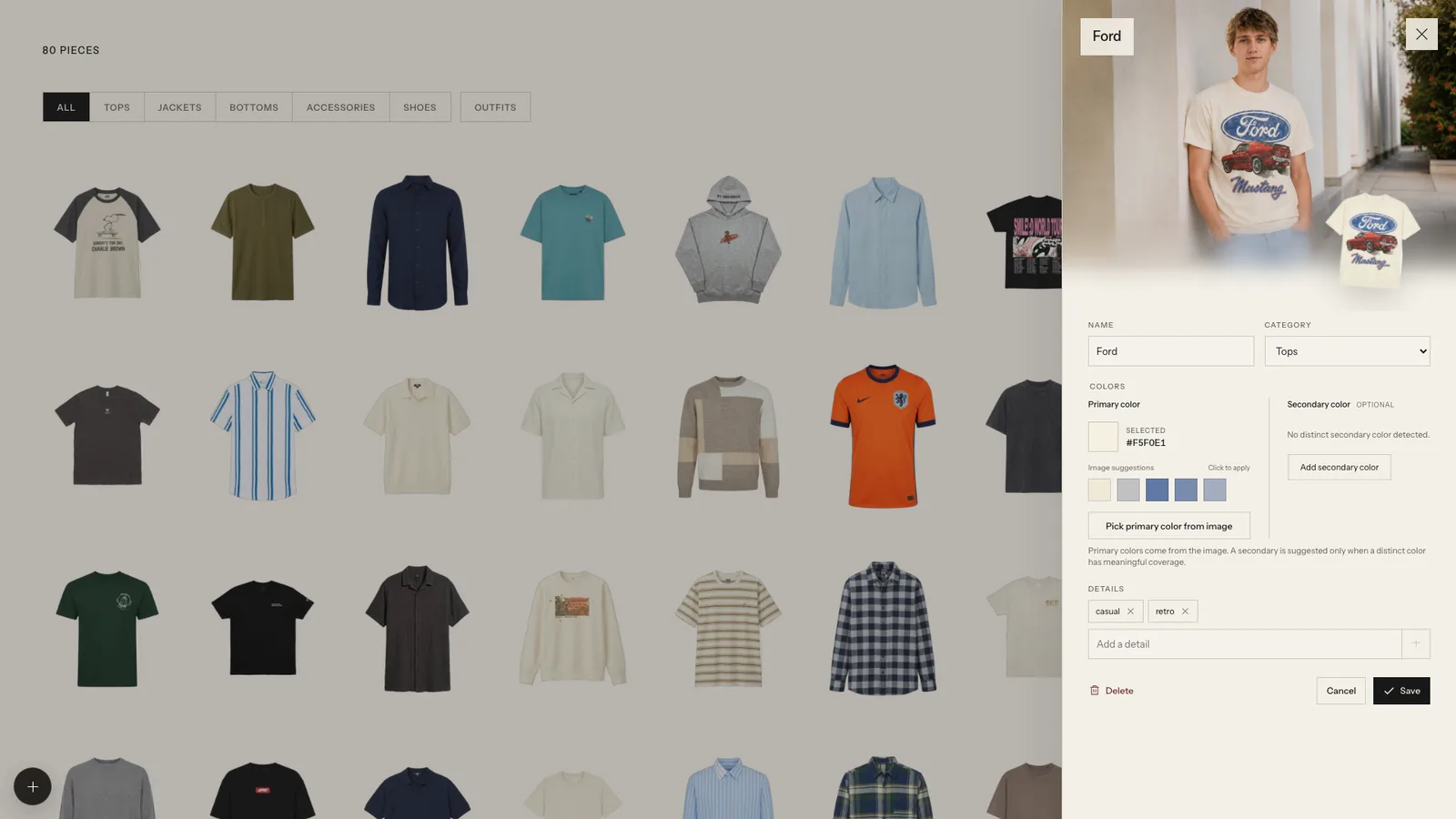
An item opened in the editor, showing a modeled photo beside name, category, colour and tag fields.
Open a piece to see its modeled photo beside the cutout, and to correct the name, category, colours and details.

Walkthrough

From a photo to a filed piece.

What each part of the app is for, in the order a new piece passes through it.

The gallery

Every piece sits on the same neutral ground as a cut-out tile, so a mirror selfie and a shop screenshot end up looking alike. Filter by part - tops, jackets, bottoms, shoes, accessories or outfits - and sort by newest, name, colour or category.

The review tray

An import does not land straight in the gallery. Each detected garment waits in the tray first, where you can rename it, move it to another part, pick its colours off the cutout, add detail tags, or drop it.

The piece editor

Opening a piece shows its cutout beside its modeled photo. Correct the name, category, colours and details at any time, and ask for a wear-on photo whenever you want to see it on your own reference.

Outfits

Stack a jacket, top, bottoms, shoes and accessories into a look and have the whole outfit rendered head to toe on your reference photo. Saved outfits stay in the grid next to the pieces they are built from.

Get started

It starts with one photo.

Import the outfit you wore today and watch it come apart into pieces you can actually browse.