 Outfello
Use case
A closet declutter app that shows everything at once
Outfello works as a closet declutter app by showing every piece you own as a cut-out in one gallery, filtered by part and sorted by colour. Worn days are recorded only when you mark outfits as worn in the paid daily planner, so unworn pieces are otherwise judged by eye. Pieces that leave the wardrobe can be deleted.
Decluttering stalls when you can only see one rail at a time. The jumper at the back of the shelf never gets compared with the three near-identical ones in the drawer. A closet declutter app helps by laying the whole wardrobe out in one place, where repeats and forgotten pieces are obvious. Outfello does that with a gallery of cut-outs of your own clothes. This page covers how to use it for a clear-out, and where its evidence runs out.
See everything at once
Import photos of your clothes by dragging, dropping or pasting them into the gallery. Outfit shots, mirror selfies, photos of piles on the bed and screenshots all work. Every garment in the frame is detected and cut out on its own, then named, categorised and colour-tagged, and you review each piece before it lands.
Once the wardrobe is in, every piece sits on the same neutral ground in one grid. That neutral ground matters for decluttering: a favourite shirt photographed in good light and a tired one photographed on the floor look like equals, so you judge the garment rather than the photo.
One part at a time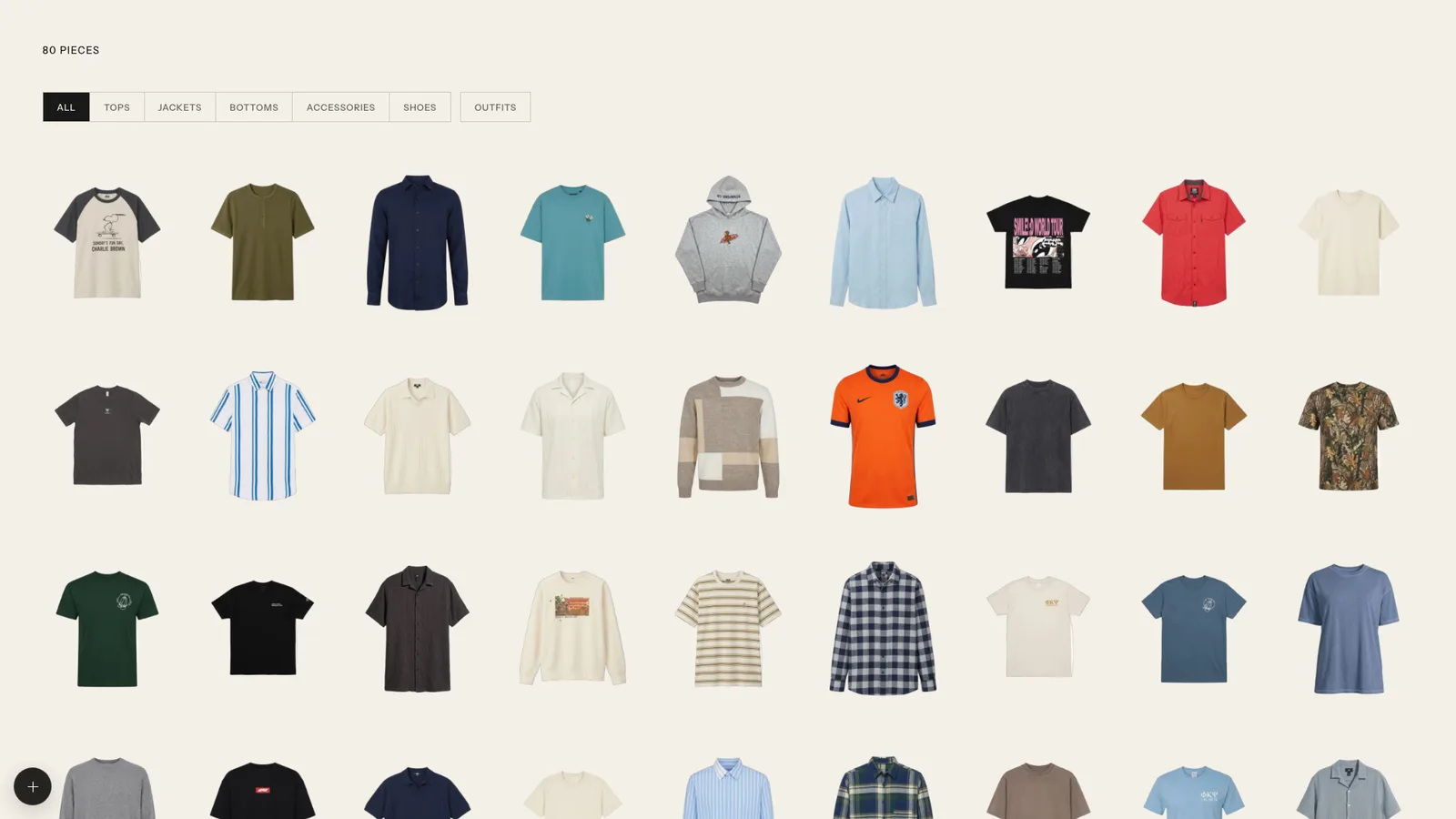
Using a closet declutter app part by part
Work through one part at a time: tops, jackets, bottoms, shoes, accessories.
- Filter to the part. Everything else disappears.
- Sort by colour. Similar pieces line up. Three black T-shirts and two navy ones become a visible cluster rather than a vague feeling.
- Ask the questions. For each cluster, which one do you reach for? Which ones only exist because the first one wore out, or because it was on sale?
- Decide. Keep, let go, or not sure yet.
There is no automatic duplicate detection, so this sorting step is how duplicates are found. The closet declutter method guide goes into the decision rules, and the wardrobe audit checklist has questions for the pieces you are unsure about.
Spotting unworn pieces, honestly
The most useful declutter signal is what you have not worn. Outfello's evidence for that is limited, and it is better to know how.
Worn days are only recorded when you use the daily planner, which is on paid plans, and mark an outfit as worn. Those days appear on the outfit calendar. If you have used that for a season, the pieces that never show up are good candidates to question.
Without that record there is no wear counter per item. The gallery still helps: pieces you never picked when building outfits, or that you cannot remember wearing when you see them as cut-outs, are the ones to pull out and try on. If you want the record from now on, marking what you wear each day for a month or two gives you real evidence for the next clear-out.
Testing before letting go
For the "not sure yet" pile, try each piece in the outfit builder against what you are definitely keeping. If a jacket combines with nothing, that answers the question. If it works in three looks, save them; you may have found a reason to keep it.
You can also render a saved outfit onto a full-body reference photo of yourself. Each render uses one try-on from your plan's monthly allowance, so save it for the pieces you are genuinely torn on.
Deleting pieces
When something leaves the wardrobe, delete it from the gallery so the inventory matches your closet. Deleting a piece removes it from your wardrobe, so check whether any saved looks relied on it. Freeing up pieces also frees room under your plan's storage cap; current limits are on the pricing page.
What it does not do
- No sell or donate features. There is no resale marketplace. Deciding happens in Outfello; selling happens elsewhere.
- No price or cost-per-wear field. If money spent is part of your decision, the cost-per-wear guide shows how to work it out by hand.
- No automatic "never worn" list. Worn days come only from the paid planner's record.
A clear-out done with the whole wardrobe visible tends to be quicker and less second-guessed than one done drawer by drawer, and the gallery you are left with is ready for planning outfits from what remains.
Questions
Frequently asked questions
- Does Outfello tell me which clothes I never wear?
- Only if you use the daily planner on a paid plan and mark outfits as worn, which builds a record of worn days on the outfit calendar. There is no wear counter per item otherwise, so you judge from the gallery.
- Can it find duplicates for me?
- No. There is no automatic duplicate detection. Filter to one part and sort by colour, and similar pieces line up next to each other.
- What happens when I delete a piece?
- It is removed from your wardrobe. Check any saved looks that used it, since an outfit with a missing piece is no longer complete.
- Can I sell or donate clothes through Outfello?
- No. There is no resale marketplace or donation feature. Outfello helps you decide; selling or giving away happens elsewhere.
- Can I work out cost-per-wear before letting something go?
- Not inside Outfello, which has no price field. The cost-per-wear guide shows how to work it out by hand.
Related
Keep reading
- GuideA closet declutter method that starts with one photoA closet declutter method that starts by photographing everything you own, then sorting by part and colour into keep, maybe and go, with a dated maybe box.
- GuideCost per wear: how to calculate it and use itCost per wear is what a garment costs each time you wear it: price divided by wears. How to calculate it, worked examples, what it changes and where it fails.
- GuideA wardrobe audit checklist, part by partA wardrobe audit checklist for tops, jackets, bottoms, shoes and accessories: fit, condition, last worn, duplicates, gaps and care, with what to do about each.